Unleash your creativity with Inkscape, a fun, powerful, free, open source software for creating scalable vector graphics.
Inkscape is a powerful open source desktop application for creating two-dimensional scalable vector graphics. Although primarily an illustration tool, Inkscape is used for a wide range of computer graphics tasks.
The variety of what can be done with Inkscape is vast and sometimes surprising. It is used to create diagrams, logos, programmatic marketing materials and web graphics. People also draw sprites for games, make banners, posters and brochures. Others use Inkscape to make mockups for web design, detailed layouts for printed circuit boards, or create outline files to send to laser cutting equipment.
Advantages of vector graphics
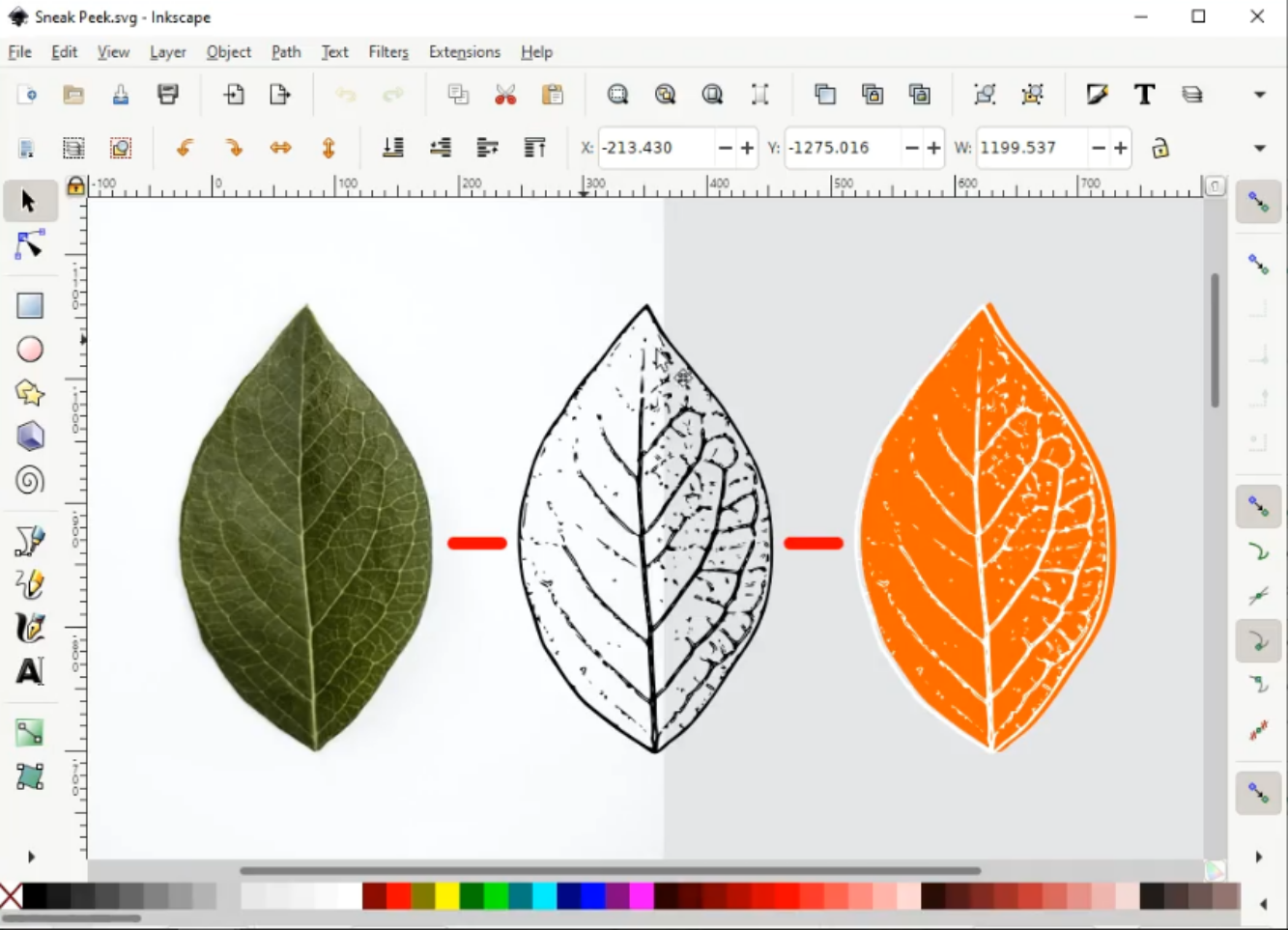
Inkscape's native file format, Scalable Vector Graphics (SVG), is a W3C open standard. Vector graphics consist of points and lines between them. In Inkscape, these are called nodes and paths. Most vector graphics tools give users the ability to create paths called "primitives" or shapes. A shape is actually just a closed path. Shapes such as circles, squares, triangles, and other polygons are widely used in creating vector graphics. The other major type of computer graphics are bitmap graphics. Rather than being composed of paths, bitmap graphics are made with a grid of pixels. Vector graphics can be easily converted to bitmap graphics, but it is much more difficult to convert bitmap graphics to vector graphics.
Common file formats for bitmap graphics include JPG, PNG, BMP, and TIF. Digital photos are usually born as bitmaps and are best edited in a bitmap tool such as GIMP or darktable. However, importing a bitmap into Inkscape for use within a larger vector graphics project is possible either by linking or directly embedding into the file.
The main advantages of using vector over bitmap graphics come down to scalability and file size, but a vector approach will not be suitable for every use case.
The SVG format, which Inkscape uses as its native file format, can be opened by almost any other vector graphics tool and can also be viewed by all modern web browsers, meaning that SVG is increasingly being used on the web and in other types of digital design. Converting SVG to DXF is very easy. Inkscape also allows exporting to vector DXF format.

A tool to unleash creativity
Like programming or writing, drawing is a skill that allows people to express ideas. From rough sketches to famous works of art, drawing can be a pure expression of imagination or a way to represent reality from our own unique perspective.