What should you consider when designing laser cut parts?

Here you will find all the rules to successfully design your laser-cut part.
In short
Dimensions
Maximum size of the laser-cut part:
- Metals: 2980 x 1480 mm
- Non-metals: 1580 x 980 mm
Minimum size of the laser part: 20 x 20 mm
Requirements for vector CAD files
- Editable vector file format: DXF
- Each file contains only one drawing
- The file contains only the section outline, no drawing frames, no dimension lines, no texts and no labels
- The CAD file does not contain blind holes, chamfers, and formed threads or thread passages
- Contour lines are solid lines, not broken lines, no bend lines
- Outer contours are single closed lines
- The smallest contour is a minimum of 0.7 times the thickness of the material
Important instructions
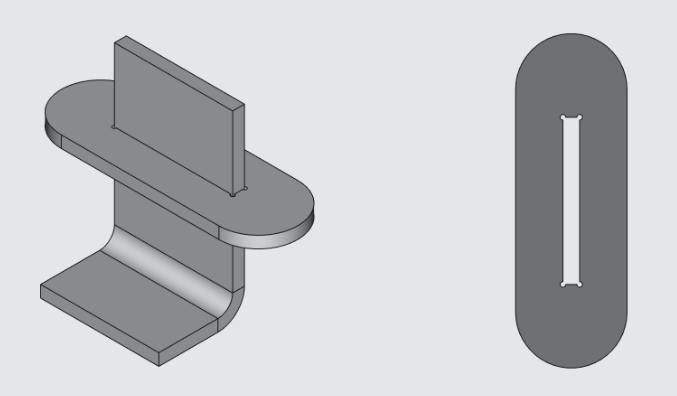
- When laser cutting parts from thin sheet metal, we foresee the so-called microbridges between the component and the sheet metal to prevent the parts from tipping over and resulting collisions with the laser head.
- When exporting a vector DXF file, some CAD programs use layers or different levels when saving. These can lead to contour changes and cannot be accounted for by the system. We cannot take any responsibility for this.
- Depending on the manufacturing process, features such as edge cutting and cut quality may vary.
- Depending on the material and manufacturing steps, the raw surface may be greasy or, in the case of steel, even slightly rusty. On untreated surfaces, the inscriptions may still be visible on the components. Since laser cutting is a thermal cutting process, the cutting edge and cutting angle can vary depending on the thickness of the material. If there is a need for special surface requirements for your component, they should be described in the comment.
- With the "Remove fallout on one side" option selected, the bottom side of the CAD file is automatically selected.
Tolerances
Detailed information on tolerances can be found here.
Minimum dimensions for laser cutting
Even if laser cutting is relatively precise, there are limits where the desired quality can no longer be achieved due to excessive energy input in a small area. Therefore, when constructing the laser-cut parts, the minimum dimensions must be observed:- Minimum hole diameter = 0.7 x material thickness
- Minimum slot width = 0.7 x material thickness (e.g. for vents)
- Minimum component size 20 x 20 mm
Important Note: Even if the minimum dimensions are met, the heat input can cause components to warp, which can increase internal stresses in the material.
Maximum dimensions for laser cutting
The maximum size of a laser cut component depends on the original format used. Please note that if the next larger sheet metal format is to be selected, the production costs will increase accordingly. So sometimes it's worth going down a few millimeters to minimize costs.
Maximum size of a laser-cut part:
Metals:
- 1980 x 980 mm (for small format)
- 2480 x 1230 mm (for medium format)
- 2980 x 1480 mm (for large format)
Non-metals:
- 1580 x 980 mm
Available sheet thicknesses:
Metals
- Carbon steel 0.5 to 16 mm
- Stainless steel 0.5 to 8 mm
- Aluminum 0.5 to 6 mm
- Brass/copper 0.5 to 4 mm
Non-metals
- Polyamide, Plexiglas, Polycarbonate 0.5 to 20 mm
- Plywood 0.5 to 6 mm
- Leather 0.5 to 4 mm
- Rubber 0.5 to 4 mm
Vector file requirements for laser cut parts
The editable vector file format is DXF. Each file must contain only one detail. The file must contain only the section outline, no drawing frames, no dimension lines, no texts, and no labels. The vector file must not contain blind holes, chamfers, and formed threads or thread passages. Contour lines should be solid lines, not broken lines. Bend lines should also not be present in the vector file. Outer contours must be single closed lines and the smallest contour must not be a minimum of 0.7 times the material thickness. The following link provides you with detailed instructions on how to create your vector file.

Technical drawing
Technical drawings in PDF format are required for the details that need to be folded on an abcant. When there is no bending you do not need a PDF drawing. It's the same if it's very simple laser cuts, like a rectangle, circle, etc. The attached vector DXF file will be used as the cut file, and additional information like tolerances, etc. must be present on the drawing as it cannot be taken into account automatically. In case of discrepancies between the DXF and PDF files, the production will be based on the DXF file. The following link provides you with detailed instructions on how to create your technical drawing.
Design of threaded holes
Thread Bore diameter
Bridges on the inner parts of the letters
If you want to have lettering cut out, you should keep in mind that the inner parts of the letters fall off the sheet during laser cutting. To hold these internal parts, you need to connect them to the rest of the sheet metal.

Rounding corners
If you would like very small radius corners for design reasons, please let us know in the comment box of your order.
Rounding of corners at joints